The design canvas for your agent.
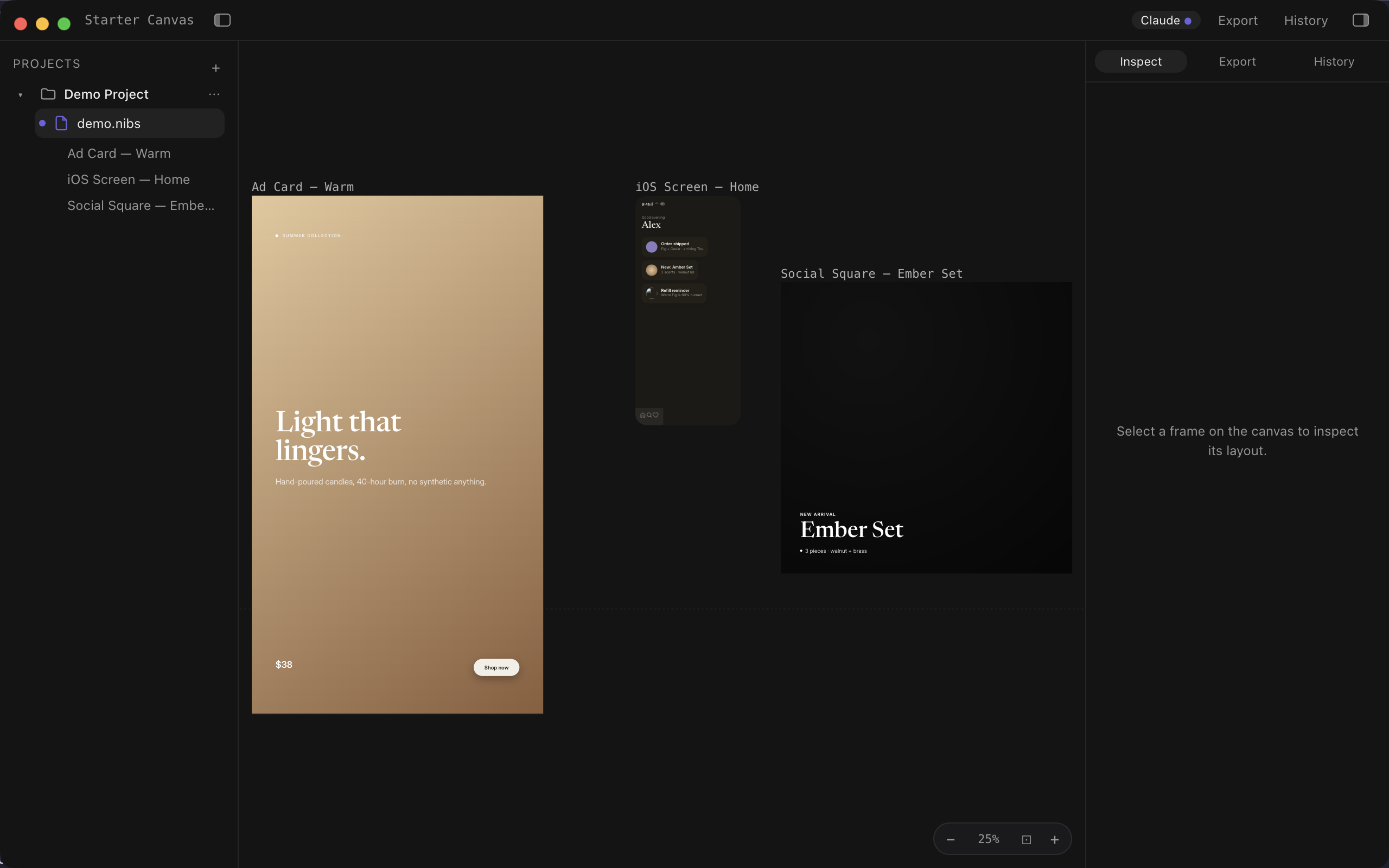
Your agent designs on a real canvas. You watch it happen. You export real PNG and HTML — not mock JSON.
How it works
- 1
Install Nib
DMG to Applications — one-time setup.
- 2
Connect your agent
One click in Nib, or paste MCP config for Claude Code, Codex, or Claude Desktop.
- 3
Tell it what to design
Screenshots, guidelines, atomic edits, production exports.
What agents get
- Sees real pixels
Isolated PNG screenshots after every meaningful change.
- Designs with taste
Curated task guides and eight visual styles via MCP.
- Manages files itself
Open, duplicate, rename, and organize `.nibs` projects.
- Exports production assets
PNG at 1×–3× and self-contained HTML.
get_state · get_nodes · batch_edit · screenshot · export · get_guidelines · snapshot_layout · list_projects · open_file · new_file · duplicate_file · rename_file · delete_file
Early access
One-time license — price TBD. While we’re in beta: free early access. No subscription.